
|
|
 |

|


|
HDTV Buying Guide
 Introduction Picture Quality Price Screen Type 3D TVs Screen Size Screen Resolution Features Design Accessories Dick De Jong Spring traditionally marks the rollout of the new TVs and therefore provides a perfect impetus to update our HDTV Buying Guide. This year as we wait impatiently for the long-teased, but yet to be delivered OLED TVs, a new candidate for monarch of the marketplace has thrown his hat into the ring. And a very big high resolution fedora it is. But before I begin deciphering terms like 4K Ultra HD and Smart TVs, I want to lay a foundation so you will have a firm footing when a sales rep begins spouting high tech testimonials about one model or another. When I walk into the television section of a consumer electronics store, I see those blank, befuddled stares. There you are - assaulted by a wall of HDTVs all playing the same program. It's easy to become flustered in the presence of this chorus line of sexy, beautiful models with their thin bezels and full HD measurements. But for the life of you, they all still look pretty much the same. With all of those flat screens seducing you, how do you decide which one to take home? Where do you begin? 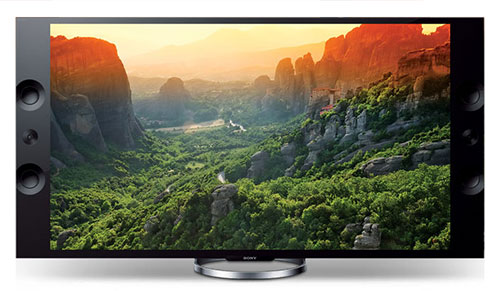 Sony XBR-65X900A 4K Ultra HD TV When I first wrote this Guide back in newly-hatched HDTV times (about six years ago), I would console fearful first-time HD TV buyers with the simple observation, it's a TV, not unlike the old-timey standard definition models they had been watching and buying for the last 60 years. Even though recently TVs have become "Smarter" with Internet connections to streaming services like Netflix and YouTube and apps to games and social media, I continue to claim, It's a TV, as much as manufacturers are striving to make them function like tablets. Although for many newbie TV buyers who can barely remember standard def TVs - of which new ones are almost impossible to find anymore - perhaps a good approach to purchasing your virgin TV is to think of it as a very big iPad. Just be forewarned that - despite all the TV designers' best efforts - the user interface is not as interactively responsive and friendly as a tablet's. Whether you were raised with rotund RCAs or teethed on tiny tablets, how you decide on what HDTV to buy really isn't any different than it was three decades or three years ago. All of us want to think that we are making a wise, informed choice and are getting our money's worth. So let me discuss a few factors that you may wish to consider. High Definition vs. Standard Definition vs. Ultra HD
Before we begin, we need to establish a couple of basic terms. The HD in HDTV stands for high definition. In comparison, those old boxy TVs that we grew up with are standard definition, (SD), though they were never called that because there was no HD. Without being too technical or exact, the picture that we see on a TV screen is made up of thousands of little dots called pixels. SD TVs use fewer pixels to create a picture, which means less detail - or definition - than an HDTV. More definition translates to a sharper, cleaner, finer image - a "honey come look at this" humdinger of a picture. 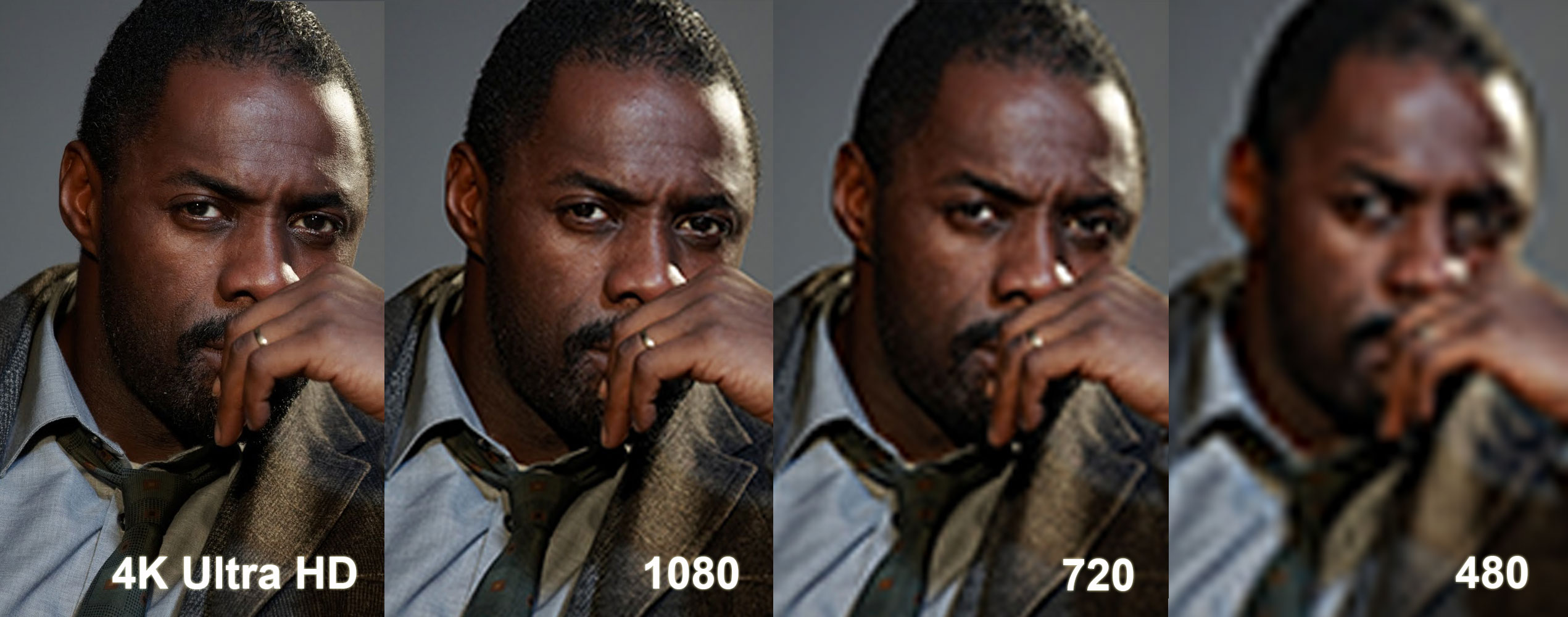 Representation of Ultra HD, 1080p, 720p & 480i - More Pixels = Sharper Image Definition for TVs is stated in terms of resolution. When you go shopping, the most common resolution number is 1080p and becoming less common is 720p. As you would guess, a 1080p TV uses more pixels than a 720p TV. Both are considered high definition TVs. For comparison, standard definition is usually stated as 480i or 480p. (I don't even want to get into i, interlace, and p, progressive.) I will discuss resolution as a factor in choosing a TV later. As mentioned earlier, almost nobody makes consumer SD TVs. In our original Guide, I predicted that "in a couple of years, we will simply drop the HD tag and go back to calling them TVs." Indeed, we were moving in that direction until late in 2012 when LG and Sony introduced the first Ultra High-Definition, or simply Ultra HD, TVs. Ultra HD TVs, (sometimes called 4K TVs), have four times more pixels than a 1080p HDTV. You can see the image quality difference in the simulated image above. (To get an even clearer idea, click on the image to open a larger one.) Now in 2013, with every major TV manufacturer coming out with Ultra HD TVs, we need to retain the HDTV term to delineate those models from Ultra HD TVs. I'll cover this topic in the Screen Resolution section of this guide.
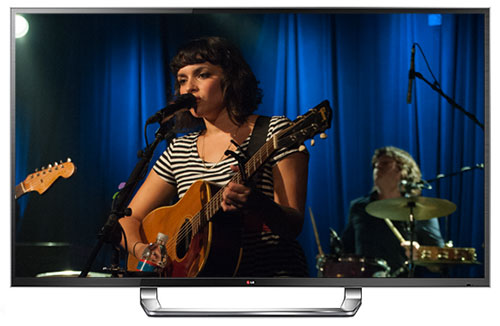
The $20,000 84" Ultra HD LG 84LM9600 Next >> Picture Quality |
Bookmark:
 del.icio.us
 Reddit
 Google
Reader Comments
Posted Jul 27, 2014 6:39:10 PM |
|
By Dick De Jong |
|
As I said in the caption, the image is a representation of more pixels giving a sharper image. To that point, the simulated image is not lying about resolution.
I can follow your logic that a 720p monitor should not be able to resolve the difference between 4K, 1080p and 720p, but that is not what this representation is showing.
More importantly, I'm not trying to sell anyone on one resolution over another as you can see in the Screen Resolution section when I say, "I tend to push Resolution down my list of factors for buying an HDTV because I think other characteristics are more important to my viewing satisfaction. For example, I would prefer a 720p TV that rendered skin tones well over a 1080p one that made everyone look as if they had high blood pressure. Of course, all other features being equal, I'll take the 1080p."
I hope that clarifies the issue.
Posted Jul 27, 2014 8:52:36 AM |
|
By kittenkitten |
|
Posted Jan 18, 2012 10:50:35 AM |
|
By HDTV |
|
Posted Sep 22, 2011 3:03:55 PM |
|
By Bruce |
|
Posted Jun 19, 2010 10:38:17 AM |
|
By Eddie |
|
When all station transmits in 720p and up we are in the High Definition era in TV.
| Send this Page | Print this Page | Report Errors |

Posted Jan 29, 2015 7:27:27 AM
By pstlouis